



Miki Casino App
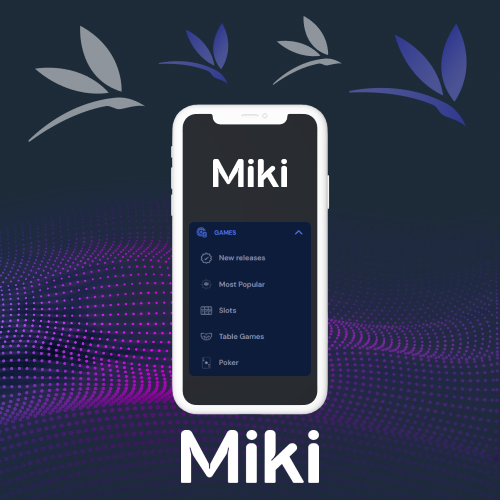
Miki Casino Ontario offers a mobile platform that lets players access games from their phones, including slots, live dealer titles, and table games. Whether at home or elsewhere, players can use secure features through the mobile version. The interface is designed to load quickly and navigate easily, with the same core functionality as the desktop version.
Players can log in to the Miki app to make deposits and withdrawals and manage their account without a desktop. This guide covers everything you need to know about the Miki Casino app: how to download, available features, device compatibility, and whether mobile suits you. All features are available to Ontario players aged 19 and older only. Gambling is a form of entertainment, not a way to make money. Play responsibly.
How to Download the Miki Casino App
The Miki Casino app download gives players mobile access without being tied to a desktop. The platform is designed to deliver functionality similar to the main website. All that is needed is an internet connection, whether you are playing slots while commuting or accessing the live dealer section at home.
The download process is straightforward and can be completed in a few minutes. What is available depends on the device you are using. Below is how it works for both iOS and Android users.
Download Miki Casino App for iOS
For players looking to access the Miki Casino iOS app, the platform supports Apple devices and is available through the App Store. A progressive web option can be added to your home screen via Safari. Search for it in the store and follow the steps. After installation, sign in or register.
Download Miki Casino App for Android
The Miki Casino Android app may be available through the official website as an APK file, since some platforms are not listed on the Google Play Store. To install it, navigate to the casino site through your browser and follow the download instructions. Make sure to download only from the official platform to get the genuine, current version.
Using the latest version gives you access to current features, up-to-date security measures, and new game releases as they are added.
How to Register on the Miki Ontario App

The online casino app Ontario registration process is straightforward. You must be 19 or older and physically located in Ontario to create an account and play.
To get started, download the app to your mobile device and select the register or sign-up option from the home screen. You will be asked to provide personal information including your email address, date of birth, full name, phone number, and home address.
Next, create a secure password for your account. Review the terms and conditions and privacy policy before completing registration. Because the platform is a licensed operation, identity verification is required before full account access, including withdrawals.
Verification may require a government-issued photo ID and proof of address, such as a driver’s licence or passport. Submitting clear, accurate documents from the start avoids delays. Completing verification early makes the withdrawal process smoother later.
Registration at Miki Casino App
The Miki Casino register process can be completed in a few minutes. Each player creates one account and uses it to access games and account features. Once registration and verification are complete, players can make a deposit using one of the available payment methods and start exploring the available titles.
Players can manage their account directly from the app, including updating personal details, viewing transaction history, accessing customer support, and adjusting account settings.
Miki Casino App Login
Miki login is straightforward for registered players. Sign in from a smartphone, tablet, or any other supported device linked to your account. For the smoothest experience on the Miki Casino mobile app, keep it updated and use a stable internet connection.
If you forget your password, select “Forgot Password” and follow the steps to reset your login credentials.
Deposit and Withdrawal Methods in the Miki Casino App

Miki Ontario payment methods are available through the app and include a range of secure options. To make a deposit, go to your profile and navigate to the deposit section. Select your preferred method, enter the amount, and confirm. The options available may depend on your location and account status.
To withdraw, navigate to the withdrawal section, select a method, and enter the amount. Processing times vary depending on the method chosen and your verification status. Completing identity verification early helps avoid delays with withdrawals.
How to Make a Deposit on the Miki Casino App
Miki Casino deposit options are available directly through the app. Log in, navigate to the deposit section, select your method and amount, and confirm. Deposits are generally processed quickly. Use a payment method registered in your own name and confirm that your account details are accurate before submitting.
How to Withdraw from the Miki Casino App
Miki casino withdraw requests are submitted through the withdrawal section. Select your preferred method, enter the amount, review the details, and submit the request. Identity verification is required before any withdrawal is processed. Processing times depend on the method selected. After approval, funds are released to your chosen payment method.
Casino Games at Miki Casino App

Miki live casino and other game categories are available through the app. Games are designed for mobile play, with fast loading times and responsive controls. New titles are added to the catalogue regularly.
Online Slots
Online slots are among the most popular options in the app, covering a wide range of titles including jackpot games, Megaways formats, and titles with various bonus features. These are chance-based games where every spin outcome is determined by a certified random number generator. No strategy or technique can influence results. The games are optimised for mobile with smooth animations and clear graphics.
Live Casino Games
The live dealer section features games streamed in real time from professional studios. Available titles include live blackjack, live roulette, baccarat, and other table formats. Dealers present each round and players bet through the on-screen interface. Results are chance-based, and past outcomes have no bearing on future rounds. High-definition streaming is available on supported devices.
Table Games
The table games section offers digital versions of classic casino formats, including blackjack, roulette, and baccarat. Various betting ranges and rule variations are available across different titles. Like all Miki casino games, outcomes are determined by chance.
Differences Between the Miki App and Mobile Browser
Both options give access to the same account, games, and payment features. The main difference is in performance and convenience.
The app, once installed, typically offers faster loading times and smoother navigation since it runs directly from the device. It can be opened quickly from the home screen with a single tap.
The mobile browser version requires no download or storage space and updates automatically. Players simply open a browser, navigate to the site, and log in. Both options are functionally similar. Which suits you better comes down to personal preference.
Advantages of the Miki Casino App
Key advantages of the Miki Ontario app:
- Fast and easy access from the home screen.
- Play games from anywhere with an internet connection.
- Interface optimised for phone and tablet screens.
- Secure and quick transactions.
- Access to the same promotions available on desktop, subject to applicable terms.
- Easy access to customer support.
Common App Issues

Minor technical issues can sometimes occur. Most are resolved quickly by updating the platform or checking your internet connection.
Login Problems
If you are unable to log in, confirm that you are entering the correct username and password. If you have forgotten your password, use the “Forgot Password” option to reset it. Other causes can include an unstable internet connection or temporary server maintenance.
Loading Issues
If it freezes or crashes, close it fully and reopen. A slow or unstable internet connection is often the cause. Switching to a stronger connection or restarting your device can also help.
Updating Your App
Keeping the platform up to date ensures you have the latest security improvements and bug fixes. Check your device’s store or the official site regularly for updates.
FAQ
Is the Miki Ontario app cashout time fast?
Cashout times depend on the payment method selected and your account’s verification status. Check the withdrawal section for the estimated timeframe for your chosen method.
Do I need to pay for the Miki Casino app?
No. It is available to download free of charge.
Can I play Miki Casino games without downloading an app?
Yes. Games can be accessed through a mobile browser without downloading anything. Navigate to the official site and log in.
Is the Miki Casino app available on iOS?
Yes. The platform is accessible on iOS devices through the App Store or as a progressive web option via Safari.
Is the Miki Casino app available on Android?
Yes. Android users can download the app from the official site as an APK file.
Is the Miki Casino app safe to use?
Miki Casino is registered with the AGCO and operates under an iGO agreement, making it part of Ontario’s regulated iGaming market. Standard security measures including encrypted connections are in place.
How do I download the Miki Casino app?
iOS users can search for Miki Casino in the App Store or add the progressive web version via Safari. Android users can download the APK file from the official website.
Play responsibly. Gambling is a form of entertainment, not a source of income. If gambling is affecting you or someone you know, contact ConnexOntario at 1-866-531-2600 or visit connexontario.ca. Must be 19+ to play in Ontario.
